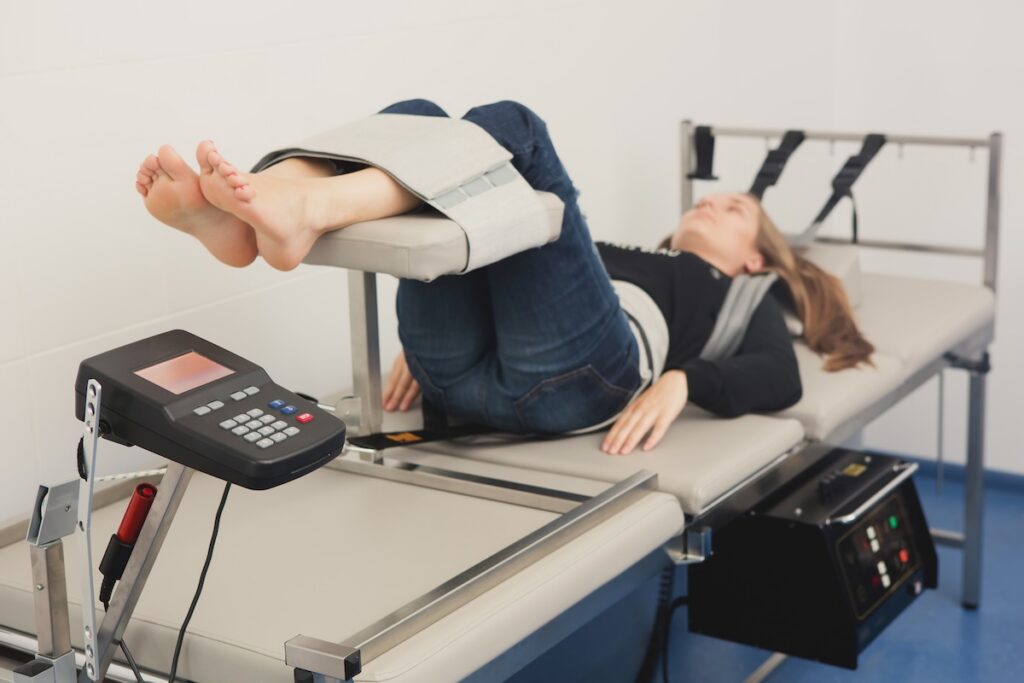

If you spend hours at a desk, you know how easily poor posture can creep in, leading to discomfort and potential long-term health issues. As a chiropractor, I want to emphasize that maintaining a healthy posture is crucial for your spinal health and overall well-being. Fortunately, there are effective solutions you can implement right away to support your body and promote natural healing.
First, consider investing in a chair that supports your lower back. A chair with proper lumbar support can help maintain the natural curve of your spine and prevent slouching, which is a common culprit of back pain. Remember, your chair should encourage you to sit upright with your feet flat on the floor.
Next, pay attention to your workspace setup. Your computer screen should be at eye level to prevent neck strain. If you find yourself looking down or craning your neck, it may lead to discomfort over time. Elevate your monitor or use a stack of books to achieve the right height.
It’s also important to take regular breaks. Standing up, stretching, and walking around for a few minutes every hour can significantly relieve tension in your muscles. Incorporate simple stretches that focus on your neck, shoulders, and back to help alleviate tightness and promote flexibility.
Additionally, practicing good ergonomics can go a long way. Position your keyboard and mouse close enough so you can keep your elbows at a 90-degree angle. This reduces strain on your arms and wrists, which can lead to discomfort and even conditions like carpal tunnel syndrome.
Lastly, consider incorporating chiropractic care into your wellness routine. Regular adjustments can help keep your spine aligned, which is essential for optimal health. Chiropractic care not only addresses pain but also supports your body’s ability to heal naturally, promoting a healthier lifestyle.
By making these adjustments and prioritizing your spinal health, you can create a more comfortable work environment. Remember, your well-being is worth the effort!
Key Takeaways
- Invest in an ergonomic chair with lumbar support to promote healthy posture and reduce strain during those long work hours. Proper seating can help maintain the natural curve of your spine, which is essential for overall spinal health.
- Adjust your desk height to ensure that your arms are at a 90-degree angle while typing. This simple adjustment can help prevent discomfort in your shoulders and wrists, making a significant difference in your daily comfort.
- Position your computer monitor at eye level, about an arm’s length away. This alignment keeps your neck in a neutral position, reducing strain and helping to prevent headaches and eye fatigue.
- Remember to incorporate regular breaks for stretching and movement. Taking a few moments to stand, stretch, or walk around can prevent stiffness and boost your productivity, while also supporting your spine’s health.
- Utilize supportive equipment like external keyboards and footrests. These tools can help maintain proper posture and improve circulation, making it easier for your body to function optimally throughout the day.
By following these tips and integrating chiropractic care into your routine, you can take proactive steps towards achieving better health and wellness in your everyday life. Your spine will thank you!
Invest in an Ergonomic Chair
When you find yourself sitting at your desk for extended periods, investing in an ergonomic chair can significantly enhance your comfort and overall well-being. These specially designed chairs support your spine and promote healthy posture, which is crucial for preventing discomfort and fatigue.
Unlike conventional chairs, ergonomic models usually include adjustable features, allowing you to tailor the fit to your unique body shape. A well-crafted ergonomic chair encourages you to maintain an upright posture, which can alleviate strain on your back and neck.
Many of these chairs also provide lumbar support, which helps preserve the natural curve of your spine, a key factor in preventing pain and promoting spinal health. Additionally, choosing chairs made from breathable materials can keep you cool during those long work sessions, contributing to your overall comfort.
As a chiropractor, I often emphasize the importance of proper posture and spinal alignment. In conjunction with a high-quality ergonomic chair, consider integrating regular breaks into your work routine.
Stand up, stretch, or take a short walk to keep your body moving and reduce stiffness. Remember, your spine plays a vital role in your overall health, and supporting it with the right tools and habits is essential for achieving optimal wellness.
If you’re experiencing discomfort, chiropractic care can help address underlying issues and promote healing naturally, aligning your body for better health.
Adjust Your Desk Height
Adjust Your Desk Height for Optimal Spinal Health
Creating a comfortable workspace goes beyond just having an ergonomic chair; adjusting your desk height is crucial for maintaining a healthy spine and overall well-being. The right desk height allows your arms to rest comfortably at a 90-degree angle while typing, which is essential for preventing unnecessary strain on your shoulders and wrists.
If your desk is too high, you may find yourself hunching your shoulders, and if it’s too low, you could end up straining your wrists — both of which can lead to discomfort and long-term problems.
To determine the ideal desk height for your body, start by sitting in your chair with your feet flat on the floor. Your elbows should be at or just above the desktop, which will help keep your spine aligned and reduce the risk of developing pain.
If your desk isn’t adjustable, you can use a height-adjustable platform or stack a few sturdy books to achieve the right height.
Also, be mindful of your legs! Ensure that there’s enough space under the desk to avoid any pressure points, which can lead to discomfort and disrupt your focus during the day.
By taking the time to properly adjust your desk height, you can support your posture and enhance your comfort.
Remember, a well-aligned spine is key to preventing pain and promoting natural healing in your body. If you do find yourself experiencing discomfort, consider exploring chiropractic care as a natural and effective solution for pain relief and overall wellness.
Your spine will thank you!
Optimize Your Computer Monitor Position
To reduce strain and enhance comfort while using your computer, it’s crucial to position your monitor correctly. As a chiropractor, I emphasize the importance of maintaining a healthy spine and preventing discomfort in your neck and back.
Start by ensuring that the top of your screen is at eye level. This positioning helps keep your neck in a neutral position, reducing the risk of strain.
Keep the monitor about an arm’s length away. This distance helps to keep your eyes relaxed and prevents unnecessary eye strain. Additionally, adjust the screen angle to minimize glare, which can lead to squinting and additional discomfort.
Remember, proper ergonomics is key to your overall well-being. If you find yourself experiencing pain or discomfort, consider a visit to your chiropractor, who can help assess your posture and provide tailored advice for optimal health.
Simple adjustments to your workspace can make all the difference in maintaining a healthy spine and achieving natural wellness. Prioritize your comfort and health by making these small changes today!
Eye Level Alignment
Proper eye level alignment is crucial for maintaining a healthy spine and reducing strain while working at your desk. When your computer monitor is set correctly, it not only enhances productivity but also supports your overall well-being.
To achieve ideal alignment, position your monitor so that the top of the screen is at or slightly below eye level. When you sit up straight, your gaze should naturally fall about one to two inches below the center of the screen. This simple adjustment can help prevent neck and eye strain, allowing you to maintain better posture throughout your workday.
If you’re using a laptop, consider elevating it with a stand or connecting it to an external monitor to reach the optimal height. Remember, keeping your screen about an arm’s length away also helps further reduce strain on your eyes and neck.
As a chiropractor, I emphasize the importance of these ergonomic adjustments in conjunction with regular chiropractic care. Proper alignment and posture can significantly impact your spinal health and overall comfort.
Distance From Eyes
When you optimize the distance from your eyes to your computer monitor, you not only enhance your visual comfort but also support your overall spinal health. Ideally, your screen should be positioned about an arm’s length away, which is roughly 20 to 30 inches. This distance allows your eyes to relax and provides a clear view of the content, helping to prevent unnecessary eye strain and discomfort.
If you notice yourself squinting or leaning forward, it’s a strong indication that your monitor is too close, which can lead to poor posture and, ultimately, spinal issues. Additionally, ensure that the top of the screen is at or just below eye level, encouraging you to gaze slightly downward. This position helps maintain a neutral spine and reduces the risk of neck and back pain.
Taking the time to set up your workspace correctly is an essential step in promoting better health. Remember, chiropractic care is an excellent way to address any discomfort that arises from poor ergonomics. Regular adjustments can help keep your spine aligned, allowing for better posture and overall wellness.
Here are a few simple tips to consider for a healthier workspace:
- Adjust your chair height so your feet are flat on the ground and your knees are at or below hip level.
- Use a chair with proper lumbar support to maintain the natural curve of your spine.
- Take regular breaks to stand, stretch, and move around to keep your body engaged and reduce tension.
Screen Angle Adjustment
Adjusting the angle of your computer monitor is an important step toward enhancing your comfort and maintaining a healthy posture while you work. As a chiropractor, I understand how crucial it’s for your spine to be properly aligned to avoid discomfort and strain.
Ideally, the top of your screen should be positioned at or just below eye level. This way, you can look straight ahead without having to tilt your head up or down, which can lead to unnecessary neck strain.
When positioning your monitor, aim for a gentle tilt of 20 to 30 degrees backward. This adjustment not only helps reduce glare but also improves visibility, making your work environment more pleasant. If you start to feel any discomfort, don’t hesitate to make further adjustments until it feels right for you. Remember, your comfort is key to maintaining a healthy spine.
It’s essential to regularly assess your workspace, especially if you notice any fatigue or strain. A well-angled monitor can significantly contribute to better posture, making your workday not only more enjoyable but also more productive.
Additionally, incorporating regular chiropractic care into your routine can further enhance your well-being. Chiropractic adjustments can help align your spine, relieve pain, and promote natural healing. By choosing chiropractic care, you’re taking a proactive step toward optimal health and wellness.
Practice Regular Stretching and Movement
To keep your body feeling great during those long hours at your desk, it’s vital to incorporate regular stretches into your routine. As a chiropractor, I can’t emphasize enough how important movement is for your spine and overall health.
Setting reminders to take short breaks can help you step away from your desk and perform these essential stretches, preventing stiffness and discomfort.
Simple movements like neck rolls, shoulder shrugs, and gentle back twists can work wonders for your posture and comfort.
Remember, maintaining good posture not only helps you feel better but also supports spinal health, reducing the risk of pain and injury.
Incorporating these small adjustments into your daily routine can lead to significant improvements in your well-being.
If you’re experiencing persistent pain or discomfort, consider chiropractic care as a natural, effective solution. A chiropractor can help you identify underlying issues, provide tailored recommendations, and guide you on your journey to optimal health.
Prioritize your movement and make these stretches a regular part of your day for lasting benefits!
Incorporate Desk Stretches
Incorporating desk stretches into your daily routine can be a game changer for alleviating tension and enhancing your overall comfort. As a local chiropractor, I encourage you to set aside a few minutes every hour to perform simple stretches that focus on your neck, shoulders, and back.
For example, neck rolls can help release tightness, while shoulder shrugs can relieve stress accumulated throughout your day. Additionally, seated twists can improve spinal mobility, promoting a healthier spine.
It’s also essential to pay attention to your wrists and hands. Wrist stretches can counteract the strain from typing, keeping your joints happy and functional. Make it a habit to stand up and reach for the sky; this simple movement stretches your spine and invigorates your entire body.
These quick stretches not only help reduce discomfort but also enhance your productivity. Remember, a few moments of stretching can significantly improve how you feel throughout the day.
Set Movement Reminders
Setting movement reminders isn’t just a helpful tip for staying active during your workday; it’s a crucial step toward maintaining a healthy spine and overall well-being. As a chiropractor, I can’t emphasize enough how important it’s to keep your body moving, especially if you spend long hours sitting.
Consider using your smartphone or computer to set alarms every hour, reminding you to stand, stretch, or take a quick walk. Even just a minute or two of movement can significantly benefit your spinal health. Incorporate simple activities like shoulder rolls or neck stretches to release built-up tension and promote better posture.
You might also explore apps designed specifically to remind you when it’s time to move, which can be a great addition to your routine. Pair these reminders with completing tasks—for example, take a break to stretch after finishing a project.
By making movement a regular part of your day, not only will you enhance your posture, but you’ll also boost your energy levels and improve your overall health.
Remember, regular movement is a natural way to support your body’s healing processes. If you ever experience discomfort or pain, chiropractic care can be an excellent choice for pain relief and promoting wellness.
Start incorporating these movement reminders today, and take a proactive step toward a healthier spine and a more vibrant life!
Use an External Keyboard and Mouse
As a local chiropractor, I want to emphasize the importance of proper ergonomics while working at your desk, especially when using an external keyboard and mouse. Many individuals find that the built-in options on their laptops can lead to awkward positioning that puts unnecessary strain on the neck and shoulders. By opting for external devices, you can maintain a more natural arm position, which can significantly reduce upper body tension.
It’s essential to position your keyboard at a height that allows your elbows to stay close to your body, ideally forming a 90-degree angle. This alignment not only prevents slouching but also encourages a straight back, reducing the risk of discomfort and long-term spinal issues.
A separate mouse can be positioned at a comfortable distance, helping to keep your wrist straight and relaxed. When selecting an external keyboard and mouse, consider ergonomic designs that fit the natural shape of your hands. These features can provide essential support, especially during extended periods of use.
Making this simple adjustment can greatly enhance your overall work experience, ultimately boosting your productivity while minimizing discomfort.
Maintain Proper Foot Positioning
Proper foot positioning is crucial for maintaining good posture at your desk, and it can greatly enhance your overall comfort and well-being. As a chiropractor, I emphasize the importance of this practice for spinal health and natural wellness.
To begin, make sure your feet are flat on the floor or resting comfortably on a footrest. Your knees should be at or slightly below hip level, which allows your thighs to remain parallel to the ground. This alignment is vital for avoiding unnecessary strain on your spine. Avoid crossing your legs, as this can lead to discomfort and misalignments over time.
If your feet tend to dangle, a footrest can be a simple yet effective solution to provide the necessary support. This adjustment can help relieve pressure on your lower back and improve circulation, which is essential for maintaining a healthy spine.
Remember to shift your weight occasionally and take the time to stretch your legs, as this can prevent stiffness and promote better blood flow.
Incorporating these simple tips into your daily routine can lead to significant improvements in your comfort and spinal health. As you focus on maintaining proper foot positioning, consider chiropractic care as a natural and effective way to support your overall health and wellness.
It’s the best choice for pain relief and achieving optimal health without the need for surgeries or medications. Make these adjustments today for a healthier tomorrow!
Incorporate Posture-Correcting Tools
To boost your posture at your desk and support your overall health, consider incorporating posture-correcting tools that can make a significant difference.
One of the best ways to enhance your spinal health is by using ergonomic chairs, which provide essential support to your lower back and promote proper alignment. If purchasing a new chair isn’t feasible, a lumbar support cushion can be a great alternative to help maintain the natural curve of your spine.
Adjustable sit-stand desks are another fantastic option. They allow you to alternate between sitting and standing throughout the day, which can reduce the risk of discomfort and improve circulation.
To further support your body, using a footrest can help ensure your feet are properly positioned, minimizing strain on your legs and back.
Don’t forget about additional accessories like posture-correcting braces or straps. These can gently remind you to maintain an upright position, helping to relieve tension in your shoulders and promoting a healthier spine.
It’s also important to position your monitor correctly. A monitor stand can elevate your screen to eye level, which helps prevent neck strain and encourages a proper ergonomic setup.
By integrating these tools into your workspace, you’ll not only improve your posture but also enhance your overall comfort.
Conclusion
By incorporating these seven solutions into your daily routine, you can significantly enhance your posture and comfort while working at your desk. One of the best investments you can make for your health is an ergonomic chair that supports your spine’s natural curves. Adjusting your desk height is also crucial; your elbows should be at a 90-degree angle when typing. Make sure your monitor is at eye level to prevent neck strain.
Remember to take regular breaks to stretch and move your body. This not only helps to alleviate tension but also promotes circulation. Utilizing supportive tools, like an external keyboard, can further improve your hand position and reduce strain.
As a chiropractor, I encourage you to consider these practices as part of a holistic approach to your well-being. Regular chiropractic adjustments can help align your spine, improve your posture, and relieve pain. With a little awareness and commitment to these habits, you can foster a healthier lifestyle that enhances your overall productivity and well-being at work. Let’s prioritize your health naturally!